
Realistic WordPress Build Timelines: What Business Buyers Should Expect
Published July 3, 2026

When a business decides to build a new WordPress site, the first question is almost always: "How long will it take?" The answer from a service provider like AUMCREATE is rarely a simple number, because the timeline depends on scope, complexity, and the decisions you make along the way. Understanding the realistic phases can help you plan better, avoid surprises, and budget realistically.

The Discovery and Strategy Phase (1–3 weeks)
Before a single line of code is written, a professional WordPress build begins with discovery. This phase involves understanding your business goals, target audience, desired functionality, and existing brand assets. For a typical small-to-medium business site, this takes one to three weeks of meetings, content audits, and competitive analysis. Rushing this step often leads to scope creep later, as missing requirements surface mid-build.
What happens during discovery?
- Stakeholder interviews to clarify objectives
- Review of existing content, branding, and analytics
- Definition of site architecture and user flows
- Selection of core features (e.g., e-commerce, membership, booking)
- Technical environment assessment (hosting, integrations, security needs)
If your team skips this phase and jumps straight into design, expect delays when features are added later. A thorough discovery saves time overall.
Design and Prototyping (2–4 weeks)
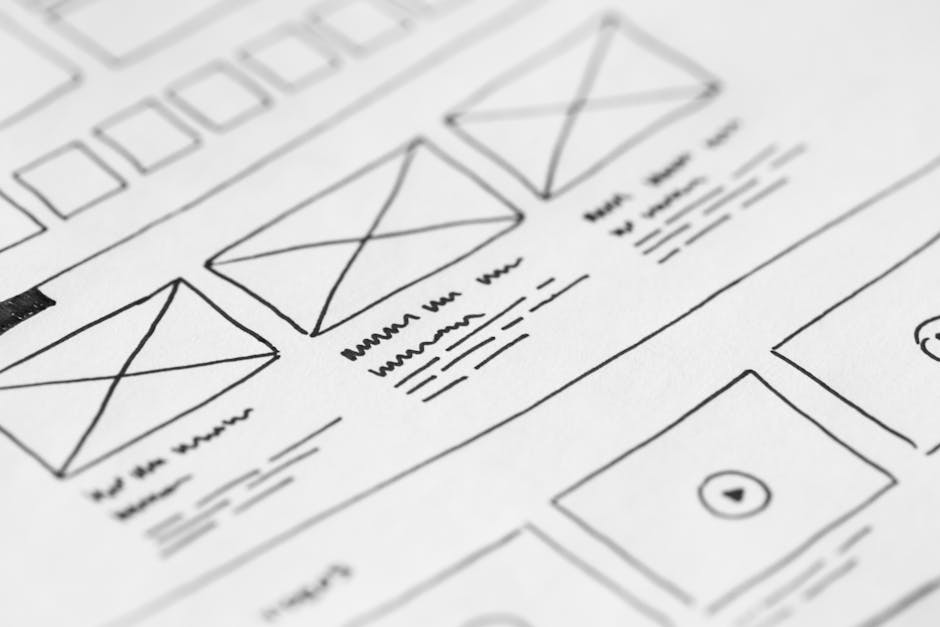
Once the strategy is locked, the design phase begins. This includes wireframing key pages, creating high-fidelity mockups, and iterating based on feedback. For a standard 10–20 page site, this typically takes two to four weeks. Complex interactions—like custom dashboards or multi-step forms—add time.
Why design isn't just about looks
Design decisions affect development complexity. A custom layout with unique animations takes longer than a template-driven approach. Business buyers should expect multiple revision rounds; the goal is to finalize design before development starts. Changing layout mid-build is a common timeline killer.
Development and Integration (4–8 weeks)
This is the core of the build. A professional WordPress development team sets up a local or staging environment, builds custom themes or configures advanced page builders, integrates plugins for required functionality, and ensures responsiveness across devices. For a moderate-complexity site, this phase spans four to eight weeks.
What drives development time?
- Custom post types and taxonomies (e.g., for a portfolio or directory)
- Third-party integrations (CRM, payment gateways, marketing tools)
- Performance optimization and caching setup
- Accessibility compliance (WCAG 2.1)
- Multilingual or multi-region configurations
An in-house team often underestimates the time needed for testing edge cases—like what happens when a user enters invalid data, or how the site behaves under high traffic. Professional agencies build these safeguards into the timeline.
Content Population and Review (1–3 weeks)
Even with a perfect design and solid code, a site is empty without content. Populating pages with text, images, videos, and metadata takes time—often more than expected. If content is provided late or in inconsistent formats, this phase can stretch. A good provider will set up a content migration plan and review each page for consistency.

Common content pitfalls
- Wait for final copy from stakeholders
- Image optimization and alt text creation
- SEO meta tagging for each page
- Cross-browser and device testing of content display
Business buyers should prepare content in advance—ideally during the design phase—to keep the timeline tight.
Testing, QA, and Launch (1–2 weeks)
Before going live, a thorough quality assurance process is non-negotiable. This includes functional testing, performance checks, security scans, and user acceptance testing (UAT) with your team. A typical QA sprint takes one to two weeks. Launch itself involves DNS propagation, final server configuration, and a post-launch monitoring period.
What professional QA includes
- Broken link checks and form submission tests
- Speed testing (Core Web Vitals)
- Backup and rollback plans
- SSL certificate validation
- Cross-device and cross-browser verification
Skipping QA to meet an artificial deadline often leads to embarrassing post-launch bugs. A realistic timeline accounts for this buffer.
The total timeline for a professional WordPress build typically ranges from 8 to 16 weeks, depending on scope, content readiness, and decision speed. Anything promising a fully custom site in under a month should raise red flags.
Why some projects take longer (and how to avoid it)
Delays usually come from three sources: scope creep (adding features mid-project), slow feedback loops (waiting weeks for approvals), and incomplete content. To keep your project on track, designate a single point of contact, prepare content early, and resist the urge to add "one more thing" during development.
If your team needs a reliable partner to deliver a WordPress site on a realistic schedule, AUMCREATE can help scope your project, set clear milestones, and manage the process end-to-end.