
The Real Cost of Disconnected Order and Inventory Data
Published August 10, 2026
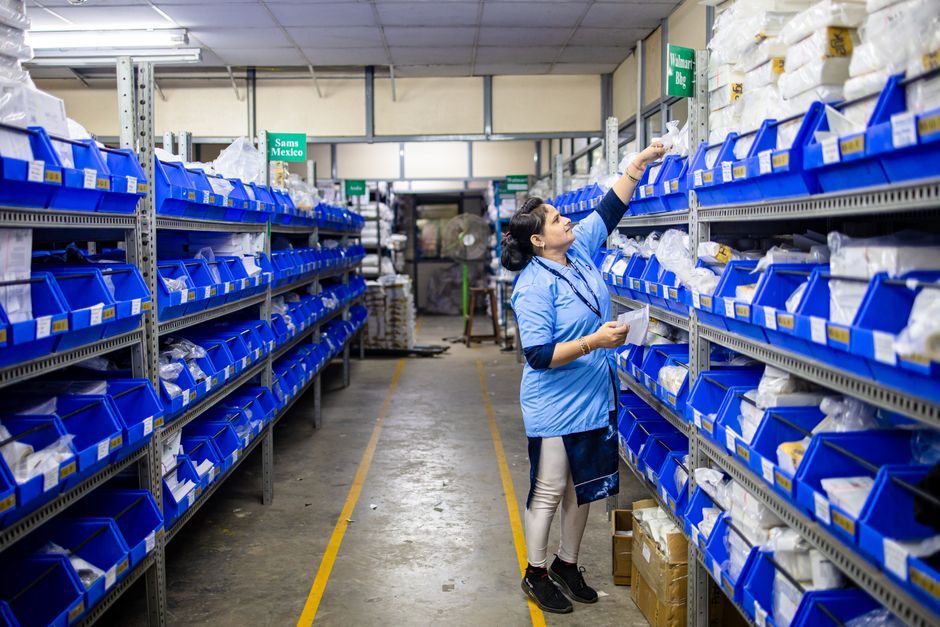
Every business that sells something—whether physical products, digital services, or a mix—has felt the pain of data living in different places. Orders sit in one system, inventory levels in another, and somewhere in between, a human is copying numbers from a spreadsheet into a dashboard, hoping nothing gets missed. That gap is not just an inconvenience; it's a direct drain on revenue, customer trust, and operational sanity.
When we talk to business owners and operations leads, the story is almost always the same. They started with a simple setup: an e-commerce platform, a basic inventory tracker, maybe a POS system. Then they added a wholesale channel, a marketplace, or a warehouse. Suddenly, the data that used to fit in one place is scattered across three or four tools. Orders come in from one direction, stock levels update in another, and the only thing connecting them is manual effort.

What Disconnected Data Actually Costs You
The most obvious cost is overselling. When your website shows stock that's already been sold through another channel, you take orders you can't fulfill. Then you scramble to apologize, refund, or source replacements—all of which eats into margin and reputation. The less obvious cost is the quiet one: hours of manual reconciliation. Someone on your team is likely spending a chunk of every week exporting order files, matching them against inventory counts, and updating records by hand. That time isn't free, and it doesn't scale.
There's also the cost of poor decisions. If your inventory data is stale or inaccurate, you can't confidently reorder stock, forecast demand, or plan promotions. You end up either overstocking (tying up cash in unsold goods) or understocking (losing sales). Neither is acceptable in a competitive market.
Why This Is Harder Than It Looks
You might think the fix is simple: just connect the systems with an API or a sync tool. But any business that has tried knows it's rarely that clean. Every system has its own data model, its own quirks, and its own update frequency. An order might have multiple line items, each affecting inventory differently. A return might need to adjust stock levels retroactively. A purchase order might be in transit, not yet received, but already committed in your planning.
What in-house teams often underestimate is the business logic required to handle these edge cases. A naive integration will sync numbers but ignore the meaning behind them—like whether a unit is reserved, available, or damaged. That's where things go wrong, and why a thoughtful approach matters more than a quick connector.
What Automation Can Actually Do
Done properly, automation doesn't just move data from A to B. It enforces a single source of truth for inventory and order status. When an order is placed, inventory is reserved in real time. When a fulfillment is marked shipped, stock decrements automatically. When a return is processed, the system knows whether the item is sellable again or should be written off.
For businesses with multiple channels—web, retail, wholesale, marketplaces—automation can centralize all order data into one operational view. That means you can see, at any moment, what's available to promise across every channel, without asking someone to check three screens. That kind of clarity is what lets you make fast, confident decisions about restocking, promotions, and customer commitments.
What to Evaluate When Choosing an Automation Approach
If you're considering automating your order-inventory flow, here are the things to look at before committing to any tool or service:
- Data accuracy first: The automation is only as good as the data it touches. Make sure your product codes, SKUs, and location names are consistent across systems before you connect anything.
- Handling of edge cases: Ask how the solution deals with partial shipments, backorders, cancellations, and returns. If the answer is “we’ll handle it manually,” you haven’t really automated.
- Scalability: Your product catalog and order volume will grow. A solution that works for 50 orders a day might choke at 500. Check performance and architecture.
- Cost of ownership: Beyond the initial setup, what are the maintenance costs? Who monitors the integration? What happens when a system updates its API?
- Vendor lock-in: Some automation platforms are easy to start with but make it hard to switch later. Consider your long-term flexibility.

The ROI of Getting It Right
When order and inventory data are connected properly, the benefits show up quickly. You reduce overselling incidents to near zero. You cut the hours spent on manual reconciliation—often freeing up a part-time role to focus on something more valuable. You get accurate, real-time stock levels that let you promise delivery dates with confidence. And you can finally trust your data enough to automate purchasing decisions, which is where the real savings lie.
One client we worked with—a mid-sized retailer selling through their own site and two marketplaces—was manually updating inventory every morning and still had stockouts every week. After we designed a lightweight automation layer that synced orders and inventory in near real time, they saw stockout incidents drop by over 80% in the first month. The operations manager told us she got her evenings back. That's not a nice-to-have; that's a competitive advantage.
What an In-House Team Usually Underestimates
Even if you have developers, building a robust order-inventory integration in-house often takes longer than expected. The initial coding might be straightforward, but the testing, edge-case handling, and ongoing maintenance are where the hours really go. And when a system updates its API—which happens more often than you'd think—your internal team has to drop everything to fix the break. That's a hidden cost many businesses don't budget for.
That's why many companies choose to work with a partner who has done this before. A good partner brings not just technical skill, but also an understanding of the business processes that need to be supported. They help you think through what “syncing” actually means for your specific products, channels, and workflows.
Making the Decision
If your business is still relying on spreadsheets or manual checks to keep orders and inventory aligned, you're leaving money on the table. The question isn't whether you can afford to automate—it's whether you can afford not to. The first step is to map out your current pain points: where do errors happen, where does time get wasted, and what would accurate, real-time data be worth to you?
Once you have that picture, you can start evaluating solutions. But remember: the goal isn't just to connect systems. It's to create a reliable, scalable operational backbone that lets you grow without breaking. That's what automation should do for your business.
If your team needs help untangling order and inventory data—or designing an automation strategy that actually fits your operations—talk to us at AUMCREATE. We've helped businesses like yours turn data chaos into a clear, automated flow.