
New Business System from Requirement to Launch: A Realistic Timeline
Published July 27, 2026

When a business decides to implement a new system—whether it’s a custom CRM, a workflow automation tool, or a client portal—the most common surprise is how long it actually takes. Founders and operations managers often assume a few weeks of development will suffice, only to find themselves six months in with a half-finished product and a strained budget. A realistic timeline helps you avoid that trap.
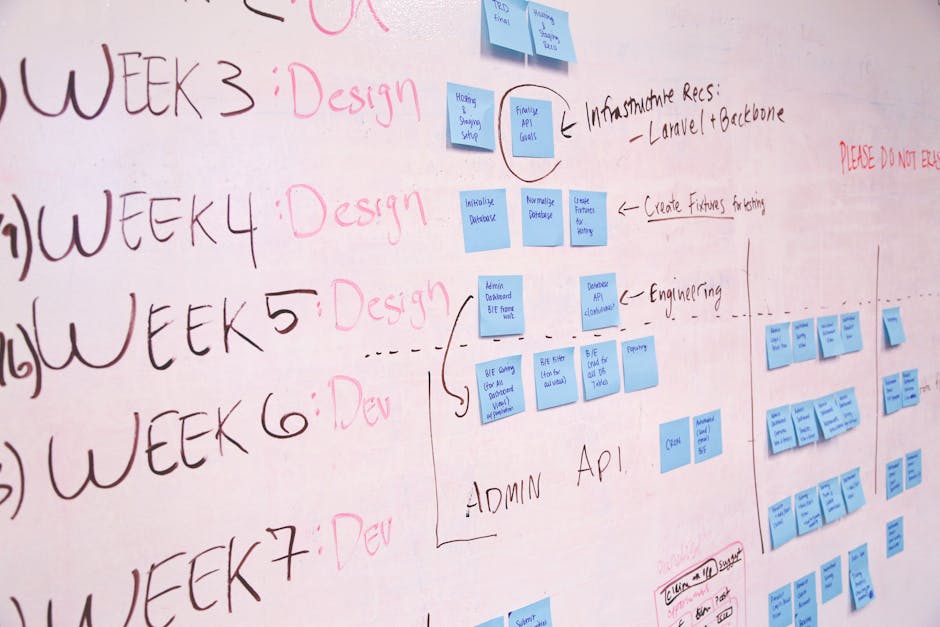
The Discovery Phase: 2–4 Weeks
Before a single line of code is written, the requirements must be thoroughly understood. This phase isn’t about listing features; it’s about mapping your current processes, identifying pain points, and defining what success looks like. Many businesses skip this step or rush through it, which leads to scope creep later. When we work with clients, we spend the first weeks conducting interviews, reviewing existing workflows, and creating process diagrams. This phase also includes technology selection—evaluating whether a custom build, a tailored off-the-shelf product, or a hybrid approach makes the most sense for your specific context.
What can delay Phase 1?
- Unclear internal stakeholders – If decision-makers disagree on priorities, the discovery phase stretches.
- Incomplete data – Without access to real business data (volumes, edge cases, integration points), requirements remain abstract.
- Overambitious wish lists – Every stakeholder wants everything; prioritization takes time.
Design and Prototyping: 3–6 Weeks
Once requirements are clear, the design phase translates them into wireframes, user flows, and system architecture. This is where the user experience is validated before development begins. For a business system, this means designing dashboards, data entry forms, reporting views, and integration touchpoints. A prototype or interactive mock-up allows stakeholders to interact with the system conceptually without investing in full development.

A common mistake is to skip prototyping and jump straight to development. That approach almost always leads to rework. When we build systems for clients, we insist on a design review phase. It’s far cheaper to change a mock-up than to rewrite code.
How long does prototyping really take?
- Simple workflow automation: 2–3 weeks.
- Custom CRM or portal with multiple user roles: 4–6 weeks.
- Complex system with external API integrations: 5–8 weeks.
Development: 6–16 Weeks (or More)
This is the phase most people think of as the entire project. In reality, it’s often only half the timeline. Development includes front-end interfaces, back-end logic, database structure, and integrations with existing tools (accounting software, marketing platforms, legacy databases). The duration depends heavily on the system’s complexity and the number of integrations.
For a lightweight web app or automation system, development may take 6–8 weeks. For a multi-departmental system with custom reporting and third-party API connections, 12–16 weeks is common. And if the requirements change mid-development—which they often do—the timeline expands.
What slows development?
- Unforeseen technical debt – Existing systems may have undocumented quirks that complicate integration.
- Scope creep – New feature requests during development are the single biggest timeline killer.
- Third-party dependencies – Waiting on API approvals, vendor support, or data migration from legacy systems.
Testing and Quality Assurance: 2–4 Weeks
Testing is not a one-day activity. It involves unit testing (each component works), integration testing (components work together), user acceptance testing (real users confirm the system meets their needs), and performance testing (the system handles expected traffic and data volumes). Businesses often underestimate the time needed for user acceptance testing because they assume their team will drop everything to test. In reality, testing happens alongside daily operations, which slows the process.

Deployment and Training: 1–3 Weeks
Going live is not the end—it’s the beginning of real-world use. Deployment includes migrating data from old systems, configuring user permissions, setting up backups, and training staff. Training is often the most overlooked element. A system that is perfectly built but poorly adopted delivers zero value. We recommend a phased rollout: start with a pilot group, gather feedback, adjust, then expand to the full organization.
The Realistic Total: 14–33 Weeks
If you add up the phases, a typical new business system takes 3 to 8 months from requirement to launch. Simple automation or a single-purpose tool might land at the short end. A full customer portal or enterprise-grade workflow system will be at the long end—or longer.
Planning for this timeline upfront prevents frustration and budget overruns. It also allows you to sequence the project in a way that doesn’t disrupt your day-to-day operations. If your team is considering a new system and wants a clear-eyed assessment of what’s realistic, we can help you scope the journey before you commit.